KELO Weather – South Dakota
- 3.4
- Rating
- 100.00K
- Installs
- Free
- Price
 Analysis by App-foxy
Weather decisions are rarely dramatic, but they repeat all day: should I leave now, take a jacket, delay a walk, or plan outdoor work around a changing forecast? KELO Weather is built for that recurring problem, with a South Dakota focus that makes it more useful to local users than a broad, impersonal weather tool can be. I spent time using it as a practical forecast companion rather than treating it like a collection of weather graphics, and my main impression is simple: it can save a few minutes every day by putting local conditions in one familiar place.
This is a free weather app from Nexstar Inc., rated for Everyone. It has been available since October 16, 2012, and its current version is 6.7.1.1303 for devices running Android 7.0 or later. The app has passed 100K installs, with an average rating of 3.4 from roughly 1.2K ratings and 428 written reviews. Those numbers suggest a useful but not universally loved tool, and that matches my experience: its value depends heavily on whether you want a straightforward local forecast or a more advanced weather workstation.
Why a local forecast can remove a surprisingly annoying daily task
The problem KELO Weather addresses is not that weather information is hard to find. In fact, there is usually too much of it. A phone's built-in weather widget, a search engine, a national weather app, and television forecasts can all give you different layouts and different levels of detail. The real nuisance is deciding which source to check and then turning that information into a practical decision.
You May Also Like

 Blood Strike: 2.5 Anniversary
Blood Strike’s Loadouts Turn Every Drop Into a Tactical Gamble
A close look at Blood Strike’s custom loadouts: how fast access to signature weapons reshapes its battle royale rhythm, rewards preparation, and narrows the gap between fights.

 Pandora - Music & Podcasts
Pandora’s Music Is Easy to Start, but Harder to Recover
Pandora’s strength is its low-effort path from a seed to a station. Its weak spot is how much confidence it asks you to place in connection, setup, and quiet recovery.

 8 Ball Pool
 Is Built on Rivalries, Rematches, and Routine
A close look at the rivalries, rematches, shared routines, and unanswered safety questions that turn a quick pool match into a persistent mobile community.

 Samsung Music
’s Quiet Strength Is Playing What You Already Own
Its reach comes less from spectacle than from dependable access to a personal library. That simplicity is both the app’s strongest retention engine and its ceiling.

 AccuWeather: Weather Radar
AccuWeather Review: A Quick, Clear Forecast for Everyday Decisions
For everyday plans, the best forecast is the one you can understand quickly. AccuWeather makes rain timing, radar, and local conditions easy to act on, with a few trade-offs.

 Hill Climb Racing
Why Hill Climb Racing Still Turns Crashes Into One More Run
A tiny car, a bumpy hill and one more upgrade: Hill Climb Racing keeps resurfacing because its simple chaos makes every near-miss feel personal.
More From Our News Desk



For someone in South Dakota, a locally oriented app has a clear advantage in that first moment of checking. Instead of starting with a large national map or a general forecast page, I can open a regional weather tool and focus on the conditions that affect the day ahead. That matters before commuting, taking children to school, planning a drive between towns, or deciding whether outdoor work is worth starting.
I found the app most useful when I treated it as a quick decision tool. I did not open it expecting a deep meteorological analysis every time. I opened it to answer questions such as whether the next few hours looked comfortable, whether changing conditions deserved attention, and whether I needed to adjust a plan. That narrow purpose is a strength because it keeps the experience practical.
The South Dakota emphasis also changes who should consider it. A person who regularly travels across several states may prefer a larger weather service with a broader collection of locations and more specialized layers. A local resident who mainly wants a dependable regional check has a better reason to try this one. The app feels most at home in a daily routine, not as a replacement for every possible weather resource.
The first check should be about your routine, not every available detail
When I first approach a weather app, I want the setup to lead quickly to a useful forecast. The best starting point with KELO Weather is to establish the place or places that matter most to you, then decide how often you genuinely need to look. If your day revolves around one home location, keeping that as the main reference point reduces the temptation to browse through irrelevant information.
That sounds obvious, but it is an important time-saving habit. Many people install a weather app and immediately turn it into a second news feed, checking it repeatedly without a clear purpose. I get more value from KELO Weather when I use it at predictable moments: before leaving home, before an outdoor appointment, and again when conditions appear unsettled. The app then supports a routine instead of creating another source of distraction.
A useful setup also means learning which information you actually trust yourself to act on. Some users care most about the next few hours, while others need the outlook for a full day or a longer plan. I recommend comparing the forecast view with the kind of decisions you make. If you commute early, the morning conditions matter more than a distant forecast. If you garden, coach, or work outside, the change across the afternoon is more important than a single current reading.
This is one of the less obvious ways to save time: do not judge the app by how much information it displays. Judge it by whether you can open it, find the relevant period, and make a decision without wandering through screens. A weather app earns its place on a phone when it shortens that process.
How I would use it before an ordinary South Dakota day
Imagine a weekday morning with a school run, a drive to work, and an outdoor errand planned after lunch. I would check KELO Weather before getting dressed, paying attention to the near-term conditions rather than trying to memorize the entire forecast. If the day looked stable, that single check could be enough. If the conditions appeared likely to change, I would check again before the afternoon errand instead of assuming the morning picture would hold.
That workflow is more realistic than expecting one forecast view to answer every question at once. Morning information helps with clothing and travel. A later check helps with timing. The app becomes useful because it fits into those decision points and reduces the need to search repeatedly across different services.
For driving, I would use it as a planning aid rather than a substitute for road information. A forecast can influence when I leave or whether I build in extra time, but it should not encourage overconfidence during difficult conditions. The practical benefit is that I can notice a reason to reconsider a trip before I am already on the road.
For outdoor work, the app is helpful in a different way. A person can check conditions before carrying equipment outside, starting a project, or arranging help. The time saved is not just the few seconds spent opening the app; it is the effort avoided when a plan is clearly unsuitable and can be moved earlier or later.
Where the app fits beside built-in weather tools
The obvious alternative is the weather widget already on a phone. That option wins when convenience means seeing a quick temperature or forecast without opening anything. KELO Weather makes more sense when you want a dedicated regional destination and prefer to consult a fuller weather experience than a small widget can provide.
National weather apps are usually stronger for people who move between many locations, compare conditions across a wide area, or want a large ecosystem of weather information. Their weakness can be visual and practical overload. A local app may feel less ambitious, but that can be exactly why it is faster for a South Dakota resident checking the day at home.
Television and broadcast weather coverage still has a role when a major weather situation requires explanation and context. A mobile app is better for the repeated, personal questions that happen between broadcasts. I would not choose one as a total replacement for the other. KELO Weather is most convincing as the quick reference I can use when I need an answer now, while broader coverage remains useful when the situation demands more interpretation.
Small habits that make the app more useful
My first tip is to check before a decision, not after the weather has already changed your plans. Looking at the app before leaving for an appointment gives the forecast a chance to influence your timing. Looking only once you are outside turns it into a record of what you should have known earlier.
My second tip is to compare the forecast period with the duration of your activity. A short walk and a several-hour outdoor job should not be planned from the same glance. If your activity crosses from morning into afternoon, make a second check near the transition. This is a simple workflow, but it prevents the common mistake of treating a forecast as a permanent promise.
My third tip is to keep the app in a place where it is easy to reach during seasonal changes. That is when weather decisions become more frequent and small delays become more costly. A dedicated weather app is only useful if opening it is easier than searching from scratch, so reducing the number of steps matters more than decorating the home screen with multiple weather sources.
A fourth useful trade-off is knowing when not to check it. If your plans are indoors and flexible, repeated forecast checks add little value. The app saves time when it changes a decision; it wastes time when it becomes a reflex. That distinction is easy to miss with any weather service, including this one.
What feels smooth and what may create hesitation
The strongest part of KELO Weather is its purpose. It is clearly aimed at people who want weather information connected to a particular regional audience, and that focus can make the daily experience feel more relevant than a generic national forecast. The free price also lowers the barrier to trying it, especially for someone who wants a dedicated local option without committing to a paid service.
The friction comes from expectations. A 3.4 average rating indicates that the experience has not satisfied everyone, so I would not describe it as a universally polished weather solution. People who expect the most advanced visualizations, extensive customization, or a highly specialized forecasting dashboard may find it limited compared with larger weather platforms.
There is also a practical limitation in relying on any single forecast. Weather changes, and a local app cannot remove uncertainty. I would use KELO Weather to prepare and adjust plans, not to assume that a displayed outlook guarantees what will happen at a particular minute. For important travel or outdoor decisions, I would still use common sense and look again when conditions are changing quickly.
The app is also not the right choice for everyone. If your main need is a tiny glanceable widget, the built-in phone option may be faster. If you frequently travel far beyond South Dakota, a broader service may reduce the need to manage multiple locations. If you want detailed specialist tools rather than a practical regional check, you should compare it with a more feature-heavy weather app before settling in.
My verdict for local users
KELO Weather succeeds when the goal is to remove a small but recurring annoyance: finding a local forecast quickly enough to make a better decision. I like it most as a daily companion for residents who plan around commuting, errands, school schedules, outdoor work, or changing seasonal conditions. Its regional identity gives it a clearer purpose than a generic weather screen, and the free access makes experimentation easy.
I would recommend it to someone who wants a straightforward South Dakota weather reference and values time saved over an enormous collection of technical tools. I would be more cautious with a user who expects a perfect, highly customizable weather center or who spends much of the year moving between distant regions. For that audience, a national alternative may be a better fit.
My final judgment is positive but measured. This is not an app I would install simply because every phone needs a weather icon. I would install it when local relevance matters and when I want a repeatable way to check conditions before making everyday plans. The real benefit is fewer small decisions made blindly: a quicker morning check, a better-timed errand, and one less reason to search through several unrelated weather sources.
FAQs for KELO Weather – South Dakota
01What features does the KELO Weather app offer?
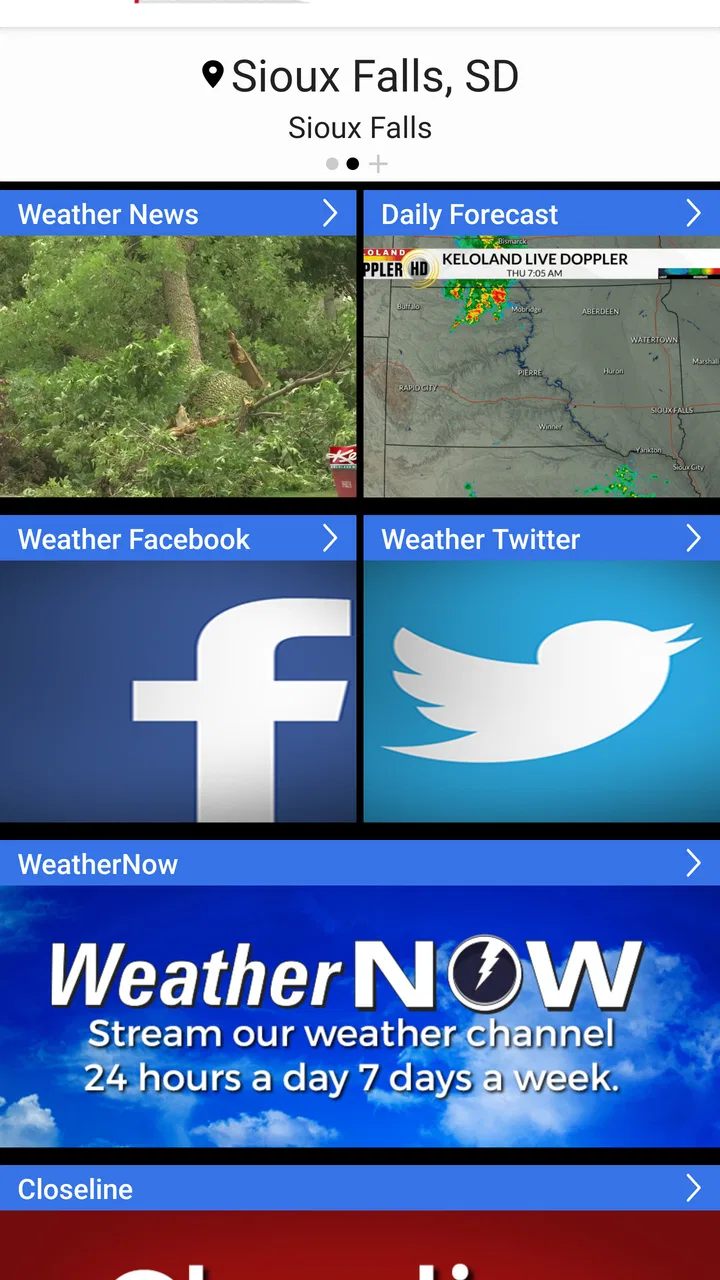
The KELO Weather app provides live radar updates, weather forecasts, and severe weather alerts specifically tailored for South Dakota. Users can also access hourly and 7-day forecasts, track storms with interactive radar maps, and receive personalized weather notifications. The app is designed to ensure you're always prepared for any weather conditions.
02Is the KELO Weather app free to use?
Yes, the KELO Weather app is free to download and use. However, it may contain in-app advertisements. There are no hidden costs associated with its core features, ensuring you have access to essential weather information without needing to pay a subscription fee.
03How accurate is the weather information provided by KELO Weather?
The KELO Weather app offers highly accurate weather data sourced from reliable meteorological services. The app's forecasts are tailored for South Dakota, providing precise local conditions. However, like all weather apps, accuracy can vary based on rapidly changing conditions, so it’s always wise to check frequently.
04Can I customize weather alerts in the KELO Weather app?
Yes, the KELO Weather app allows you to customize alerts based on your preferences. Users can choose to receive notifications for severe weather conditions, such as thunderstorms, tornadoes, or heavy snowfall. This customization ensures you only get the alerts that are most relevant to your needs.
05Does the KELO Weather app require an internet connection?
The KELO Weather app requires an internet connection to provide real-time updates and radar images. While some information may be cached for offline access, the most accurate and up-to-date data, especially for changing weather conditions, will need an active internet connection.
Pros
- Accurate weather forecasts tailored for South Dakota.
- User-friendly interface with intuitive navigation.
- Customizable alerts for severe weather conditions.
- Detailed radar maps with real-time updates.
- Localized news and weather videos for context.
Cons
- Limited to South Dakota
- less useful elsewhere.
- Occasional ads can interrupt user experience.
- Requires internet for most features to function.
- Some users report lag in loading radar maps.
- Notifications can be overly frequent and intrusive.

KELO Weather – South Dakota
Gallery